 Videosays Chrome extension
Video Transcript Chrome Extension for Public Video Pages
Submit a transcription from a public video page. Follow task status, copy the full transcript, or export SRT.
Free to install. Transcription uses your free allowance or account credits.
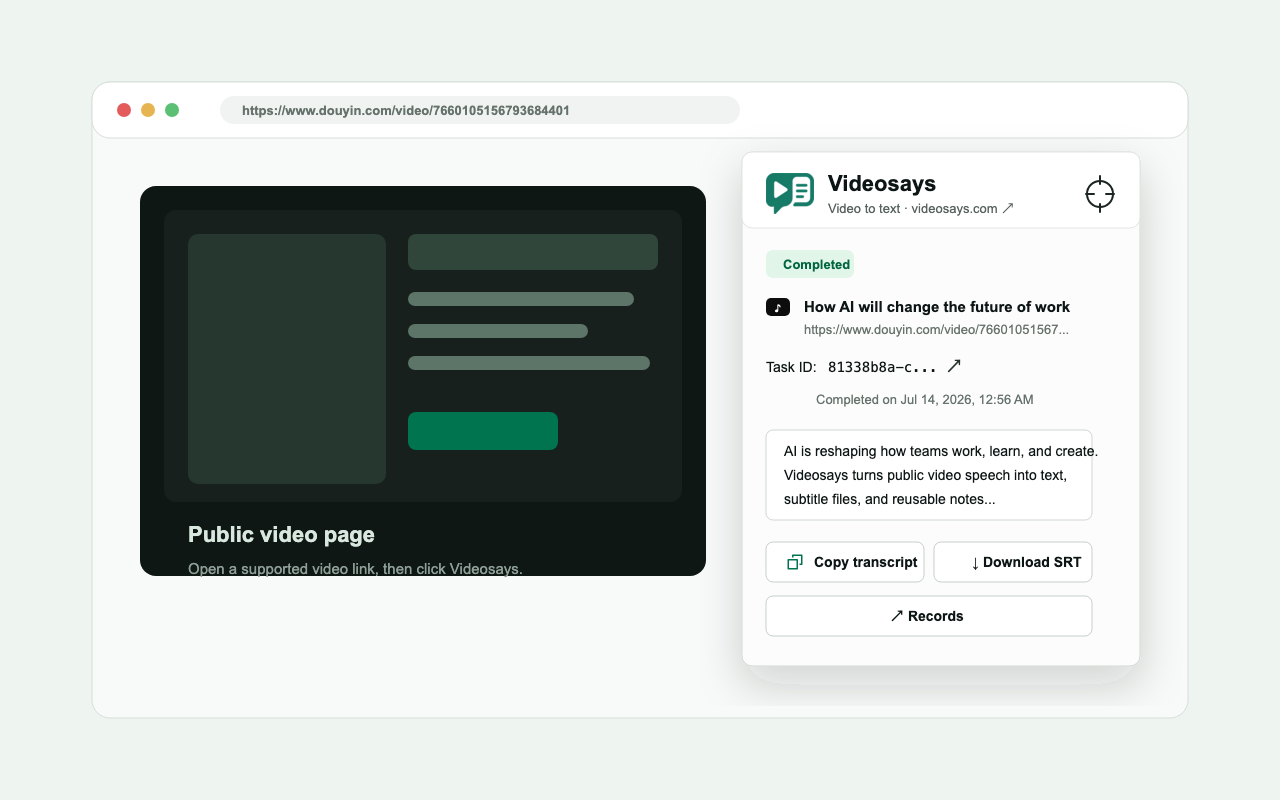
Transcribe without leaving the video page
Submit the current page
Use the current public page URL with less copying and tab switching.
Follow task status
See when the task is processing, complete, or unsuccessful.
Copy the full transcript
Copy clean, editable transcript text when the task finishes.
Export SRT
Download timestamped SRT subtitles for review and editing.
Start in four steps
Install the extension
Add Videosays from the Chrome Web Store.
Save your API key
Store a Videosays API key in the extension settings.
Open a video page
Visit a public video page on a supported platform.
Start transcription
Open the extension, submit the page, and follow the result.
Works on 8 public video platforms
The extension recognizes the current page URL and sends supported links to Videosays.
Limited permissions, with your API key stored locally
Your API key stays in Chrome local storage.
The extension does not continuously read pages in the background.
It does not download videos or bypass platform login and access controls.
activeTabReads the current tab only after you open the extension.
contextMenusAdds a right-click entry point.
storageKeeps the API key and extension settings in Chrome local storage.
Host permissionConnects only to https://api.videosays.com/*.
Chrome extension questions
Is the Videosays Chrome extension free?+
The extension is free to install. Transcription uses the free allowance or purchased minutes on your Videosays account.
Which video platforms does the extension support?+
It supports public video pages on Douyin, TikTok, Xiaohongshu, Bilibili, YouTube, Kuaishou, Instagram, and X.
Is the API key sent to another service?+
The API key stays in Chrome local storage, and the extension host permission is limited to https://api.videosays.com/*.
Does the extension continuously read pages in the background?+
No. It reads the current tab only after you actively open or use the extension entry point.
Does the extension download videos or bypass a platform login?+
No. Videosays processes publicly accessible links and does not download source videos or bypass login, region, or access restrictions.
Extract the transcript while the useful video is still open
Installation is free. Transcription uses the free allowance or minutes available on your Videosays account.