Transcribe Videos from a Douyin Creator Profile
Paste one public Douyin profile, load its posts, and select 1–100 videos by cover, title, and duration for transcription.
Load
Creator and public posts
Select
Review cover and duration
Review
Quote selected duration
Transcribe
One grouped submission
Start with the correct profile link
How to copy a Douyin creator profile link
In the app, open the top-right menu, choose Share profile card, then Copy link. On desktop, copy the browser address bar.
Mobile app: copy a creator profile in 3 steps
Red circles mark where to tap
Tap the top-right menu
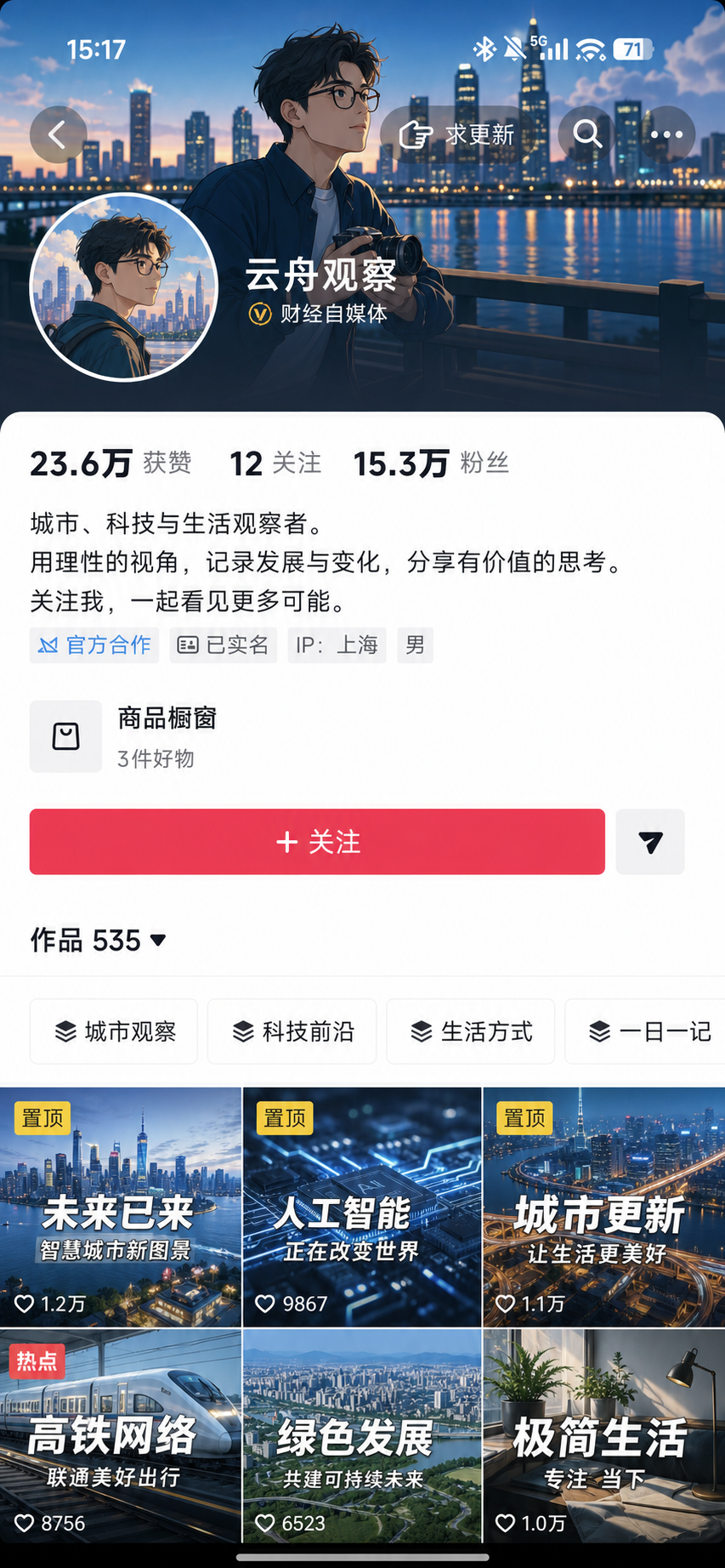
Open the creator profile and tap the three-dot button in the top-right corner.
Choose Share profile card
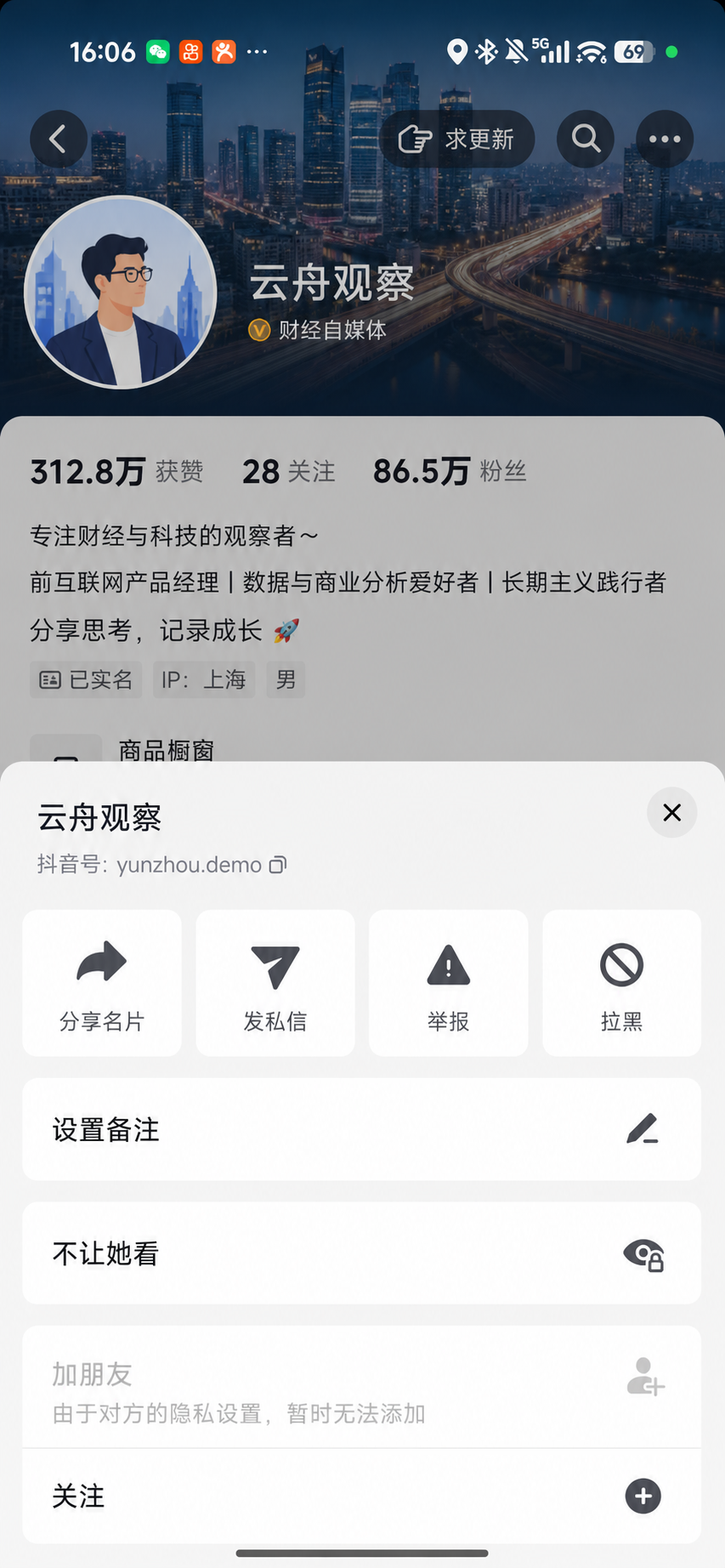
Choose Share profile card in the profile menu, not Send message.
Choose Copy link
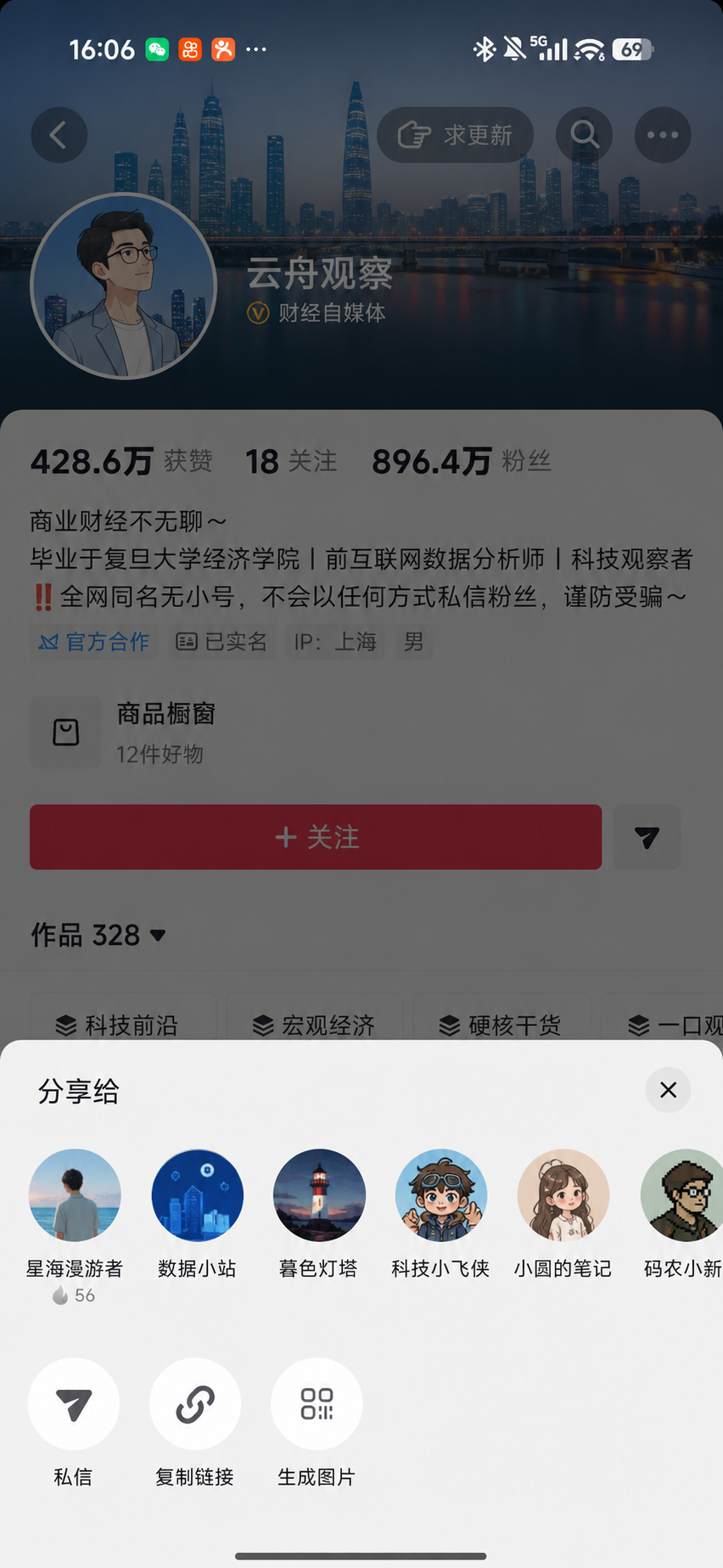
Tap Copy link in the share sheet. You can also paste the complete share message.
Fictional account; exact positions may vary by device or Douyin version. Look for the top-right menu, Share profile card, and Copy link.
Desktop: copy the profile URL from the address bar
Open the public creator profile, close any video overlay, and copy the douyin.com/user/… URL from the browser address bar. Do not copy a /video/ URL.
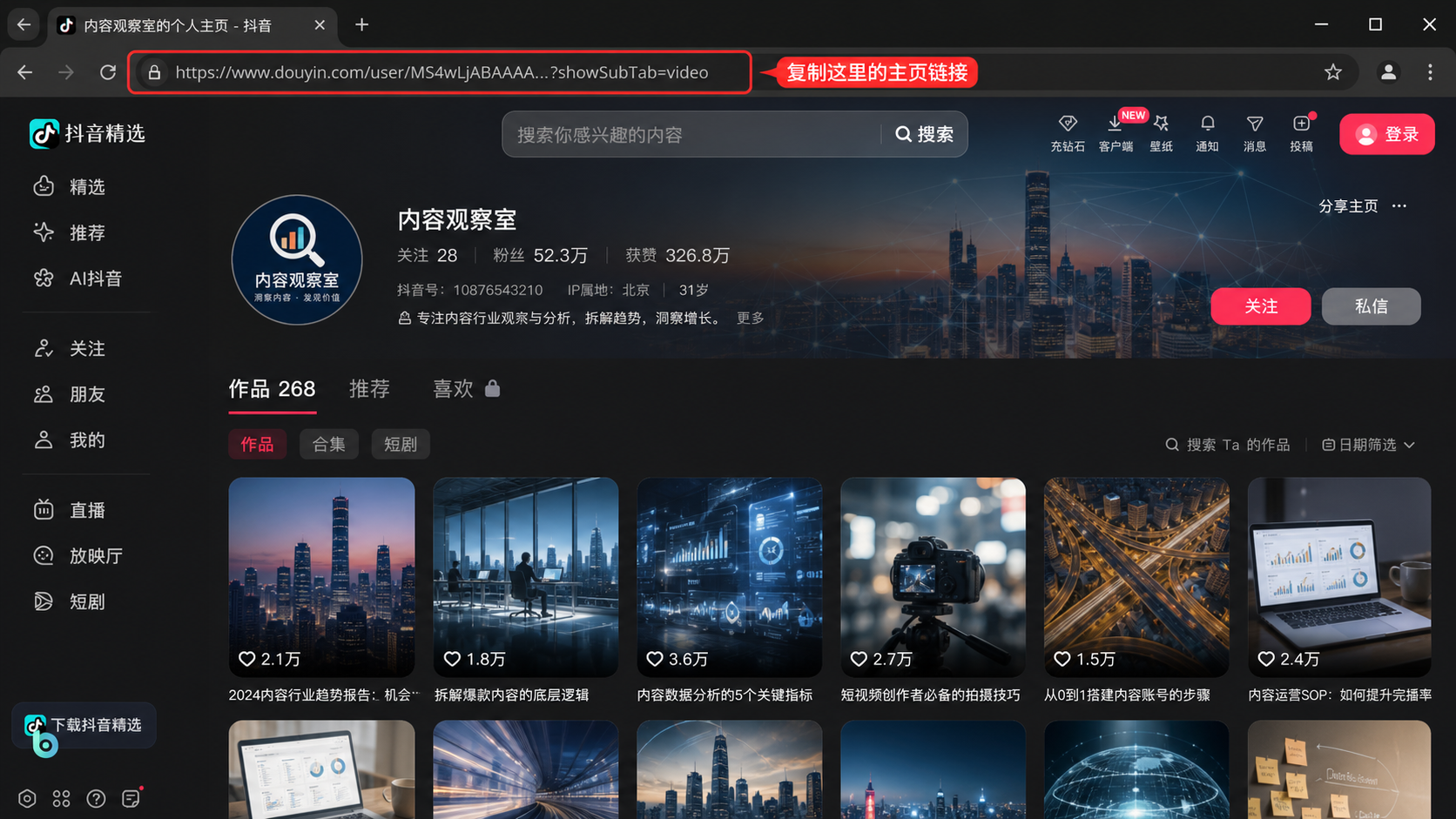
Open the profile
Open the creator page and close any video overlay.
Check the URL
The address should contain douyin.com/user/….
Copy the address
Copy the full profile URL into the form above.
Two supported profile inputs
Provide one public profile source. Videosays loads its posts next, so there is no need to prepare a bulk URL list.
Desktop profile URL
douyin.com/user/…Copy the public creator profile URL from the address bar
App profile share text
v.douyin.com/…Open Share profile card and paste the full share message
The paper plane sends a private message; it is not profile Share. Use the top-right menu and choose Share profile card.
Review before task creation
Loading is free; credits are quoted after selection
Review the creator and accessible public posts, then select up to 100 videos by cover, title, date, and duration before reviewing estimated usage.
Only selected public videos are processed
Skip videos you do not need
See estimated minutes before creation
Content Studio
20 public posts loaded
Why effective reviews begin with the original wording
Aug 12 · 03:42
A practical example of opening with the topic
Aug 11 · 05:18
What each of these three sections accomplishes
Aug 10 · 02:56
2 selected · 9 minutes
Review the estimate before tasks are created
Not a loose list of records
One profile selection becomes one manageable batch
Selected videos process independently but stay grouped under this profile submission in the dashboard and history.
Content Studio
Profile submission · 3 videos
Douyin creator video transcription FAQ
How do I copy a creator profile link in the Douyin App?+
Open the creator profile, tap the top-right three-dot menu, choose Share profile card, then choose Copy link. The paper plane beside Follow sends a private message.
How do I copy a Douyin creator link on desktop?+
Open the public creator profile, close any video overlay, and copy the douyin.com/user/... URL from the browser address bar.
Which creator links are supported?+
Public douyin.com/user/... links, public short links that redirect to a creator profile, and complete App share text are supported.
What if I paste a video or collection link?+
The page identifies the mismatch and directs you to the ordinary video or collection workflow instead of treating it as a profile.
Will every creator video be transcribed automatically?+
No. Only the 1–100 videos you select and confirm are added to a transcription batch.
Can I load older posts?+
Yes. Recent posts load first. Continue loading more pages when you need older public videos.
Can this download or monitor creator videos?+
No. Videosays produces transcript text and subtitle exports for selected public posts. It does not download source videos or continuously monitor profiles.