Transcribe a Douyin Collection
Paste one Douyin collection source, load its current episode list, choose the episodes you need, review duration, and transcribe them together—without collecting every video URL.
Load
Cover, title, episodes
Select
Keep episode order
Review
Quote selected duration
Transcribe
One grouped result
Start with the right collection source
How to get a Douyin collection link
Use Share in the mobile app, or copy the collection card link directly on desktop. Both inputs work in the form above.
Mobile app: copy a collection link in 3 steps
Red circles mark where to tap
Open the collection
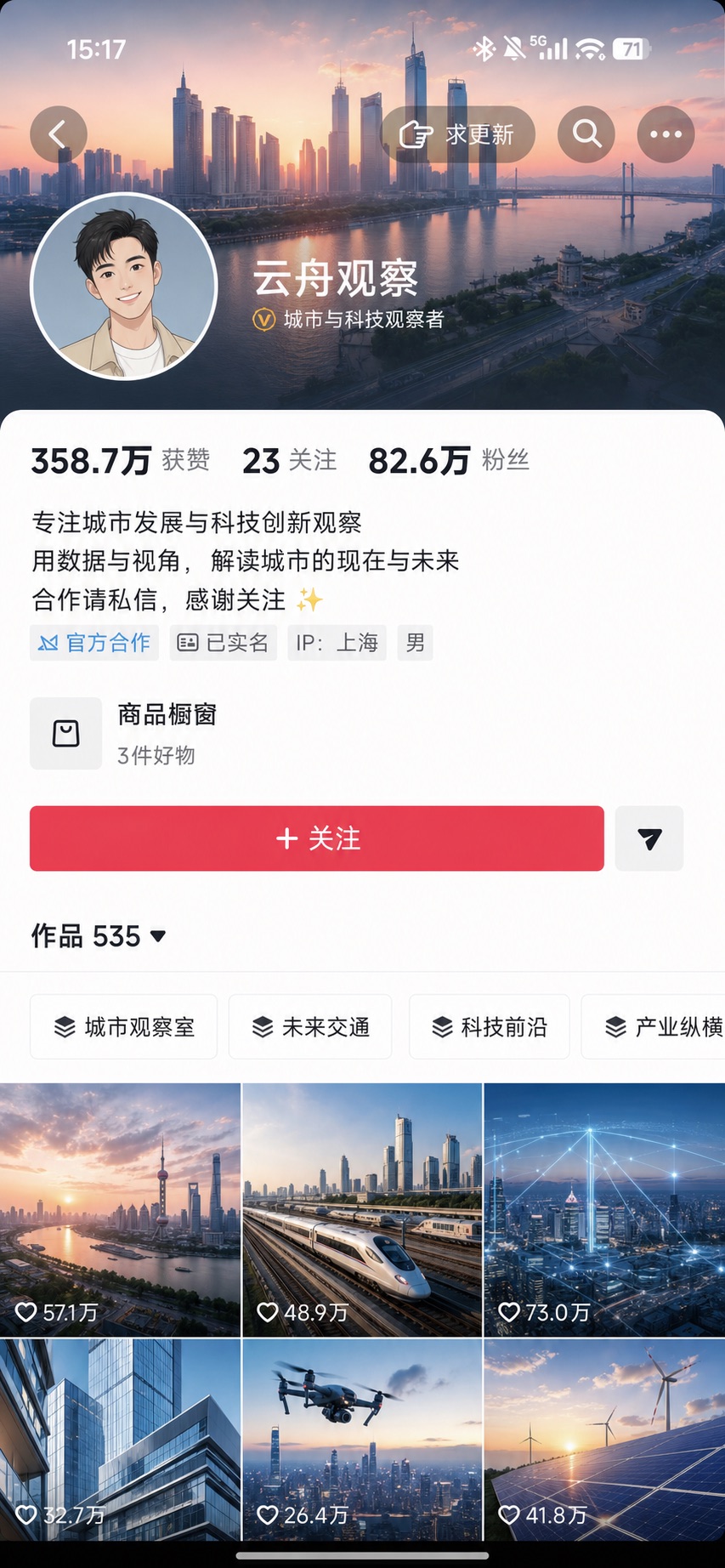
Tap the target collection card on the creator page.
Tap Share
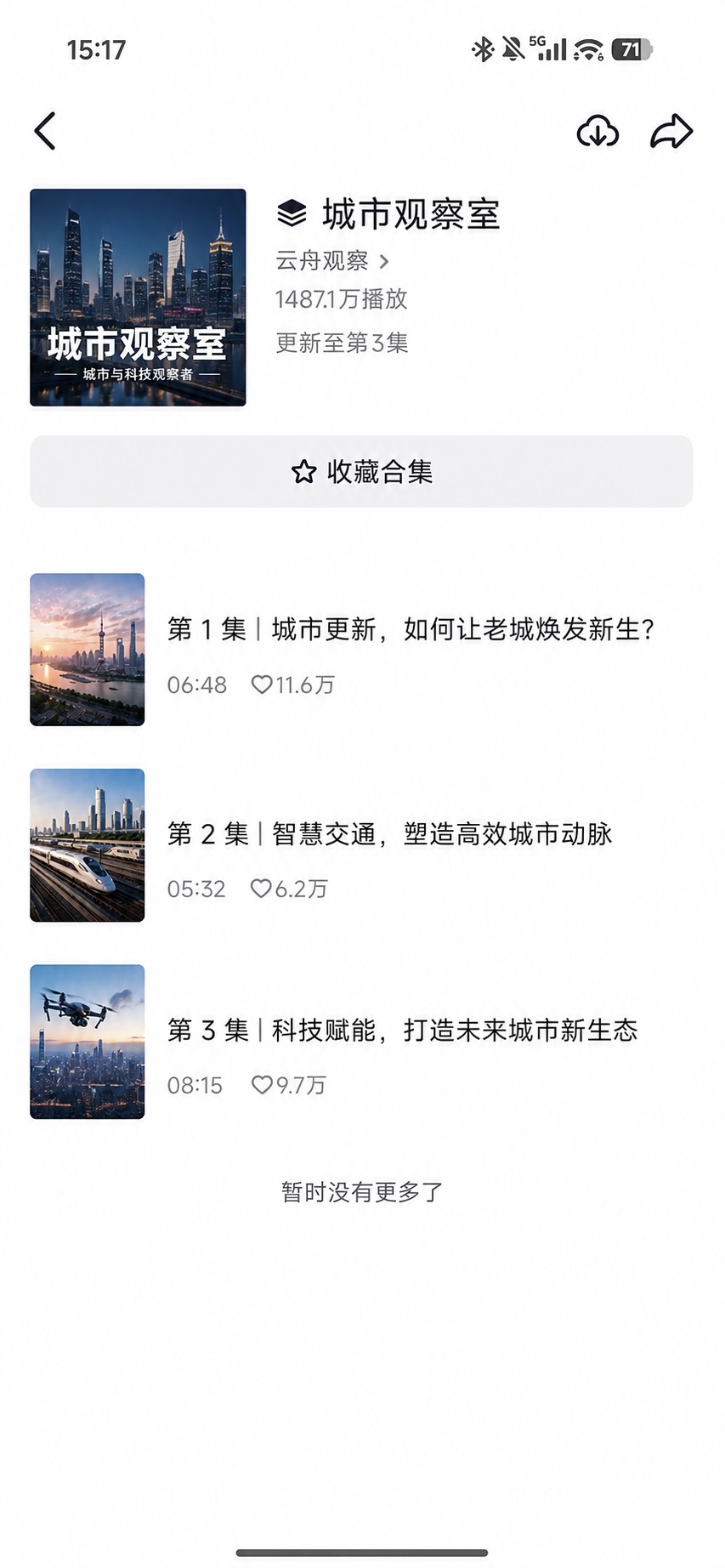
Tap Share in the top-right corner of the collection.
Choose Copy link
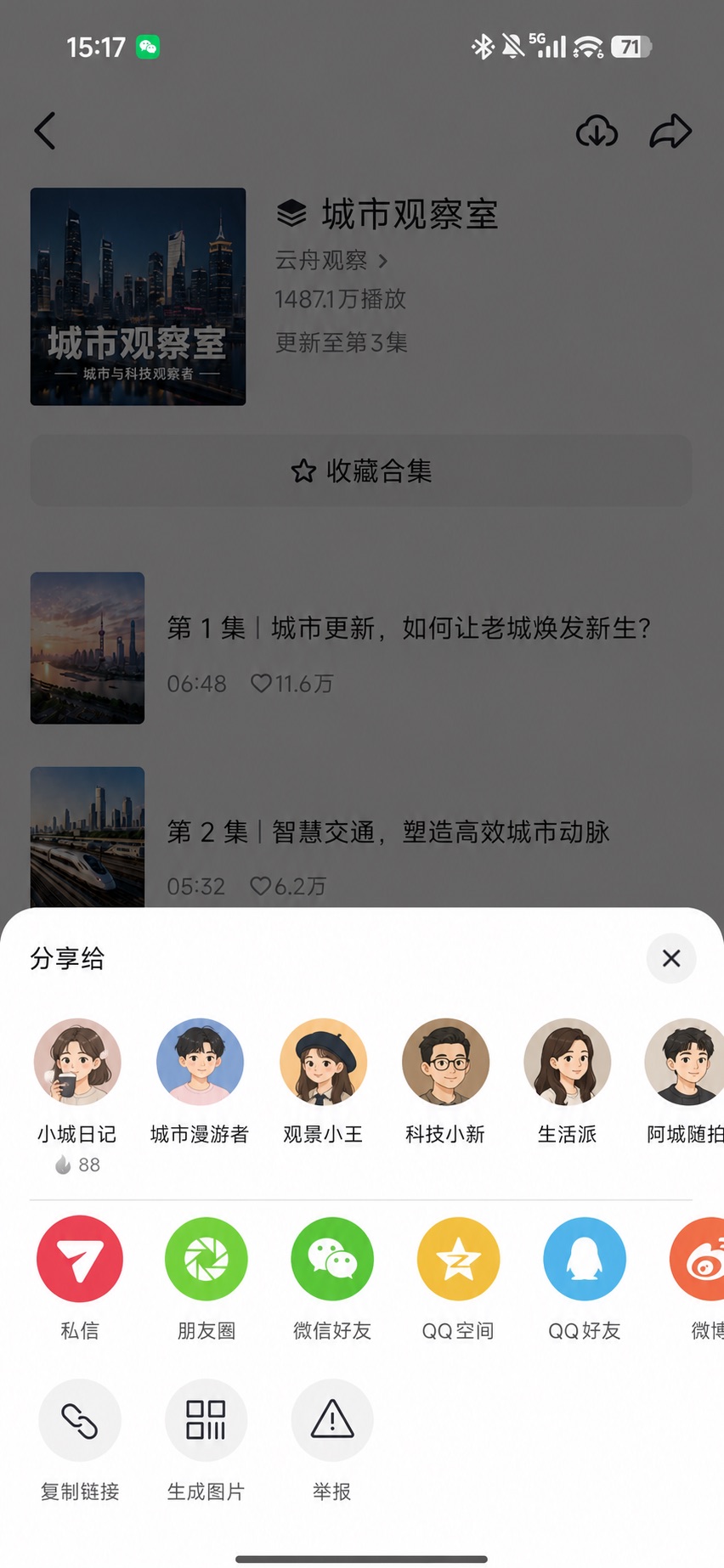
Tap Copy link in the share sheet.
Fictional account; exact positions may vary by device or Douyin version.
Desktop: copy the collection card address
Open the Collections tab on the creator profile. Right-click the target collection card or title and choose Copy link address. Opening an episode first may leave a single-video URL in the address bar.
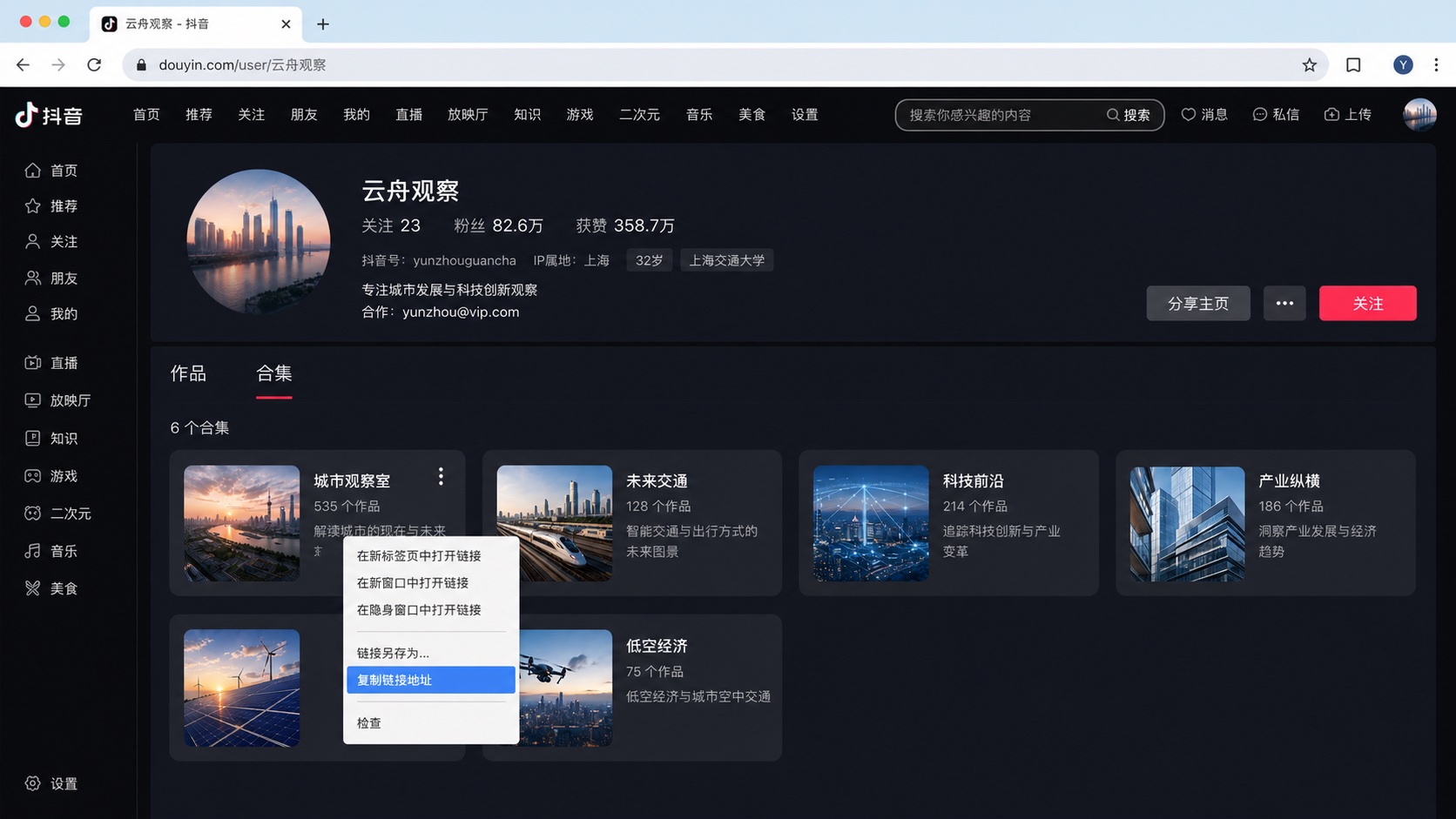
Open the creator profile
Switch from Posts to the Collections tab.
Find the collection
Confirm the card title matches the collection you need.
Right-click the card
Choose Copy link address from the browser menu.
Two supported collection inputs
Provide one collection source. Videosays loads its episodes in the next step, so there is no need to prepare a bulk URL list.
Desktop collection URL
douyin.com/collection/…Copy the target collection card link on the creator page
App collection share text
v.douyin.com/…Tap Share on the collection page and paste the complete message
A creator profile is not a specific collection. Copy the target collection card, or open that collection and use Share to copy its link.
Review before task creation
Loading is free; credits are quoted after selection
Review the collection cover, title, current episode count, and each duration. Select up to 100 episodes, then review the estimated usage before any transcription task is created.
Original episode order is preserved
Skip episodes you do not need
See estimated minutes before creation
Global Energy Landscape
3 episodes · original order
Episode 1 · Why the Strait matters
06:56
Episode 2 · How energy prices affect us
04:28
Episode 3 · The global energy landscape
09:02
2 selected · 11 min 24 sec
Review the estimate before tasks are created
Not a loose list of records
One collection becomes one manageable batch
Episodes process independently but stay grouped by collection in the dashboard and history. Review each status or export all completed transcripts from the batch.
Global Energy Landscape
Collection batch · 3 videos
Douyin collection transcription FAQ
How do I copy a collection link in the Douyin App?+
Open the collection from the creator page, tap Share in the top-right corner, and choose Copy link. Exact positions may vary between App versions.
How do I copy a Douyin collection link on desktop?+
Open the Collections tab on a public creator page, right-click the target collection card or title, and choose Copy link address.
What if Copy link returns a full share message?+
Paste the complete message and Videosays will extract the Douyin short link. Make sure you shared from the collection page rather than an individual video playback page.
Does loading a collection charge transcription credits?+
No. Credits are reserved only after you select episodes, review total duration and the quote, and create the transcription batch.
What if a collection has more than 100 videos?+
You can load more public episodes, but each transcription batch can contain at most 100 selected videos.
What happens when a collection adds new episodes?+
Load the same collection again to read its current public list, then select only the new episodes. Videosays does not continuously monitor or automatically charge for updates.